Digital signage software for Android and Android TV
PixelFlow Player runs on any Android 9+ media player or commercial display — standard hardware from the supplier you already use, with no proprietary box to buy. The same player turns an ordinary Android TV or Google TV set into a signage screen. Every player keeps its own copy of the content and plays from there, so the screen keeps playing when the connection drops. PixelFlow Studio, the dashboard you open in a browser, runs all your screens from one place: see what every screen is playing right now, and reach any of them from your desk — restart, screenshot, volume, kiosk-lock, 45+ commands on Android.
Hardware you need
- On Android — Android 9 or newer, on a media player or a commercial display with Android built in. The same player runs on Android TV and Google TV devices.
Set up in 5 steps
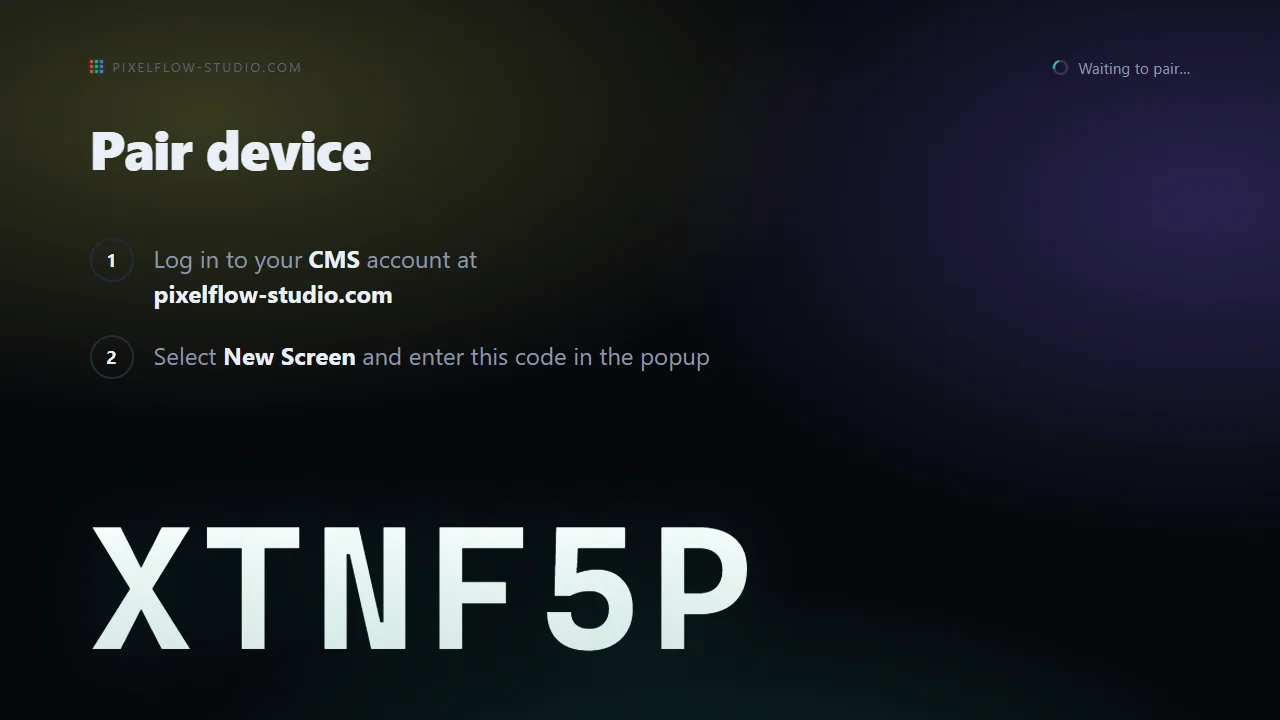
- Install PixelFlow Player on the media player, display or TV.
- The screen shows a pairing code.
- Enter the code in PixelFlow Studio at pixelflow-studio.com.
- Upload your videos, images and designs, and drop them into a playlist.
- Assign the playlist to your screens — one, a dozen, or every screen you run, in a single go. They update within seconds.
Players marked Beta are still in development. Test them on your own screens before a full rollout, and report any problem to support@pixelflow-studio.com.
FAQ
Does it play when the internet drops?
Yes. A copy of your content is cached on every player. An outage, flaky shop wifi, someone rebooting the router — none of it touches the screen.
How many screens can I run?
Whether it’s five screens in one office or five hundred across the country, PixelFlow Studio runs them all from one place.
Which other devices does PixelFlow support?
PixelFlow Player also runs on Windows, Raspberry Pi, Samsung Smart Signage, ChromeOS and in a browser — the same player, the same content and the same dashboard on every platform. Hardware & Compatibility lists what each one needs.